
How to install Releasit COD Form on your Tiendanube store
Releasit COD Form adds a 1-click cash-on-delivery order form to your store. Your customers fill in their details on the product page and the order is created instantly in your Tiendanube admin, with no long checkout and no account required.
Installation takes less than 5 minutes.
Before you start
- You need admin access to your Tiendanube store.
- The app works on stores in Argentina, Brazil, Chile, Colombia and Mexico.
- The Free plan has no cost. Paid plans include a 3-day trial.
Step 1: install the app
- Open the Tiendanube App Store and search for Releasit COD Form.
- Click Install.
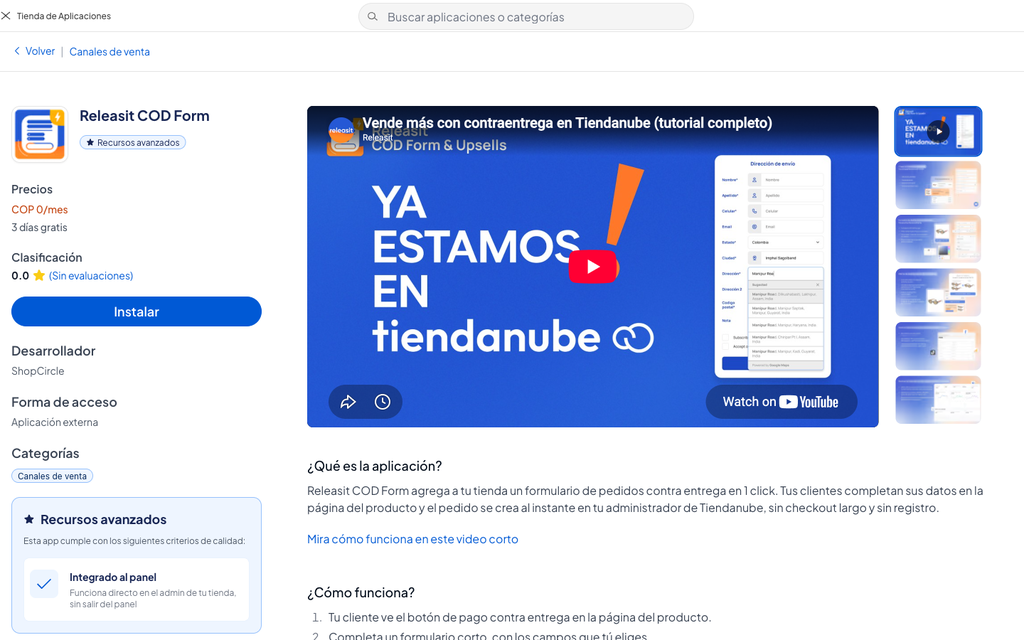
Step 2: accept the permissions
Tiendanube shows the permissions the app needs: read and create orders, read products and read customers. The app uses these permissions only to show your products in the form and to create your customers' orders.
Click Accept and continue.
Step 3: open the app panel
After you accept, Tiendanube takes you to the Releasit panel inside your admin. You can also open it at any time from Apps → Releasit COD Form.
The left menu has seven sections:
- Dashboard: summary of orders and conversion, and the App status switch.
- Form Designer: fields, colors and button text. It includes Shipping methods.
- Sales Booster: it includes Quantity offers.
- Analytics: form metrics.
- Tracking Pixels: Meta, Google and TikTok.
- Plan & usage: your plan and the orders you used this month.
- Settings: where the form appears (Visibility), Order on product page and Thank you page.
The Language selector is at the top left of the app.
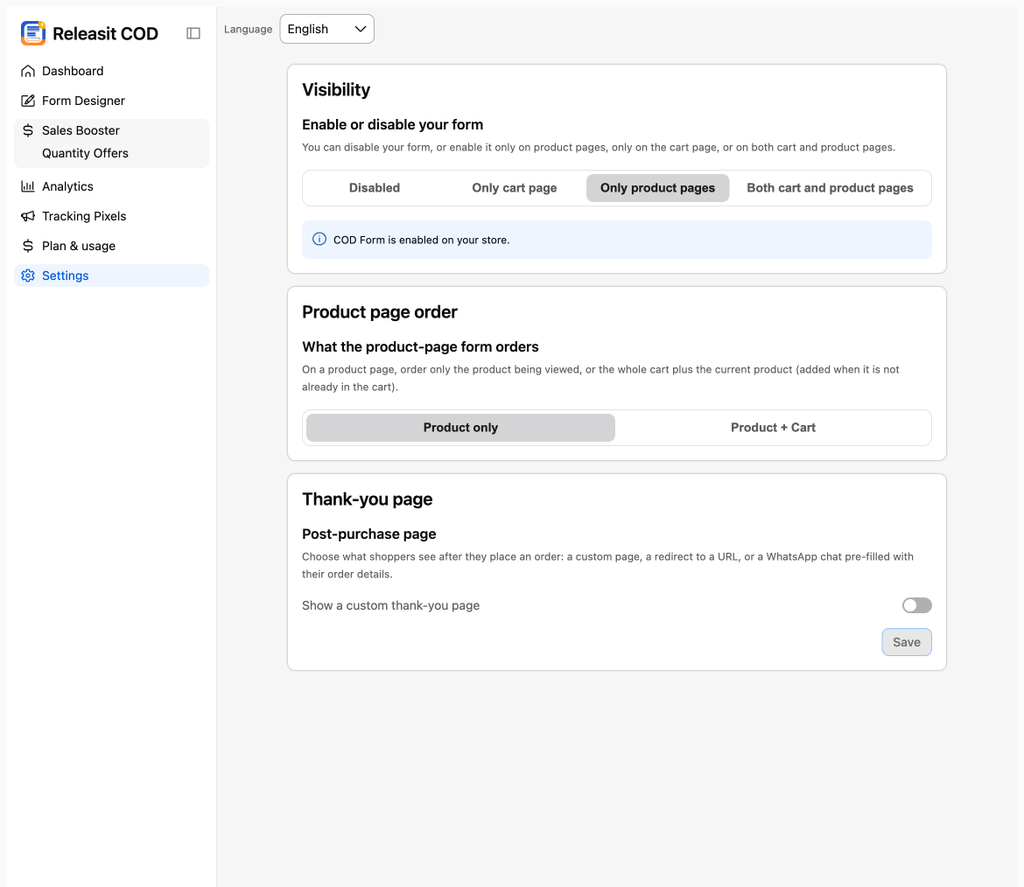
Step 4: check that the form is active
In the Dashboard, confirm that the App status switch is on. Then, in Settings → Visibility, choose where the form appears: on product pages, in the cart or both. Open a product in your store or the cart: the cash-on-delivery button is there.
If you do not see it, read How to activate the form and where the button appears.
Next step
Customize the form in Form Designer. Read How to design your form: fields, colors and button.
Need help? Write to support+tienda@releas.it. We reply in Spanish, Portuguese and English.
Updated on: 02/10/2026
Thank you!