
Where to find form orders in your Tiendanube admin
Every time a customer submits the form, Releasit creates the order directly in your Tiendanube admin. You do not have to copy anything by hand.
What happens when the customer submits the form
- The customer completes the form and clicks Complete order.
- Releasit checks the product, variant and quantity against your store.
- Releasit creates the order in Tiendanube with the customer's data.
- The customer sees a confirmation message.
Orders in Sales
The order appears in Sales in your Tiendanube admin, with payment Pending and the payment method A convenir (to be agreed) until you collect on delivery. The order notes show Pedido creado por COD Form.
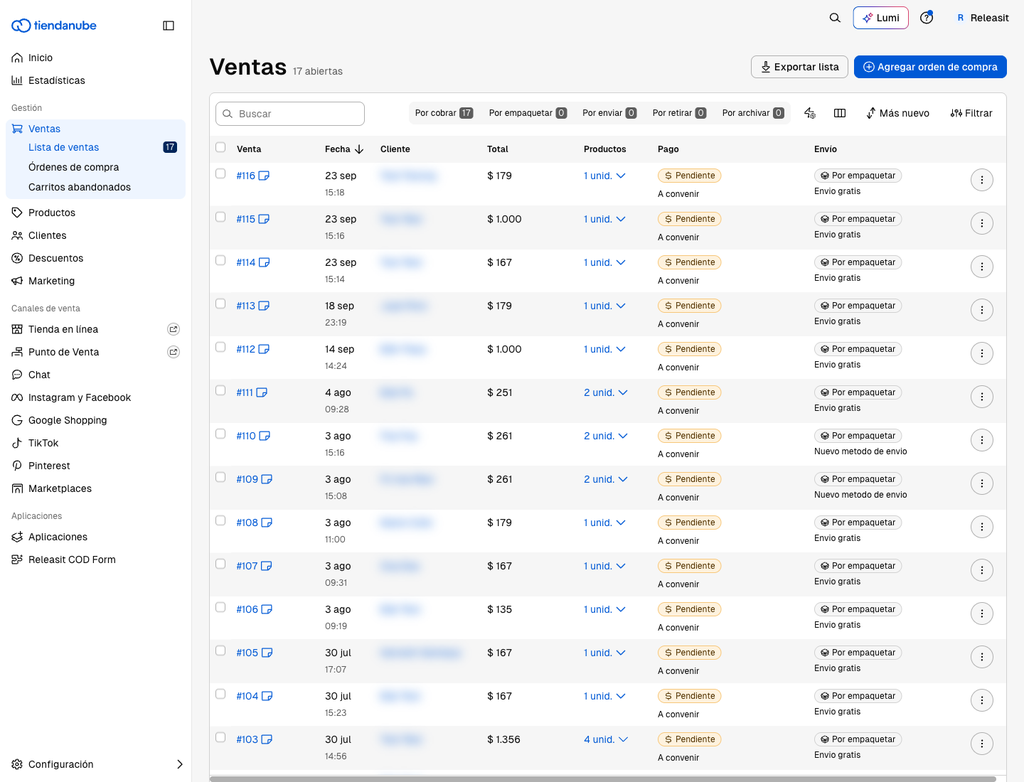
In the order detail you find:
- Customer data: name, phone, address.
- Product, variant and quantity.
- The order note, in the Tus notas (your notes) section.
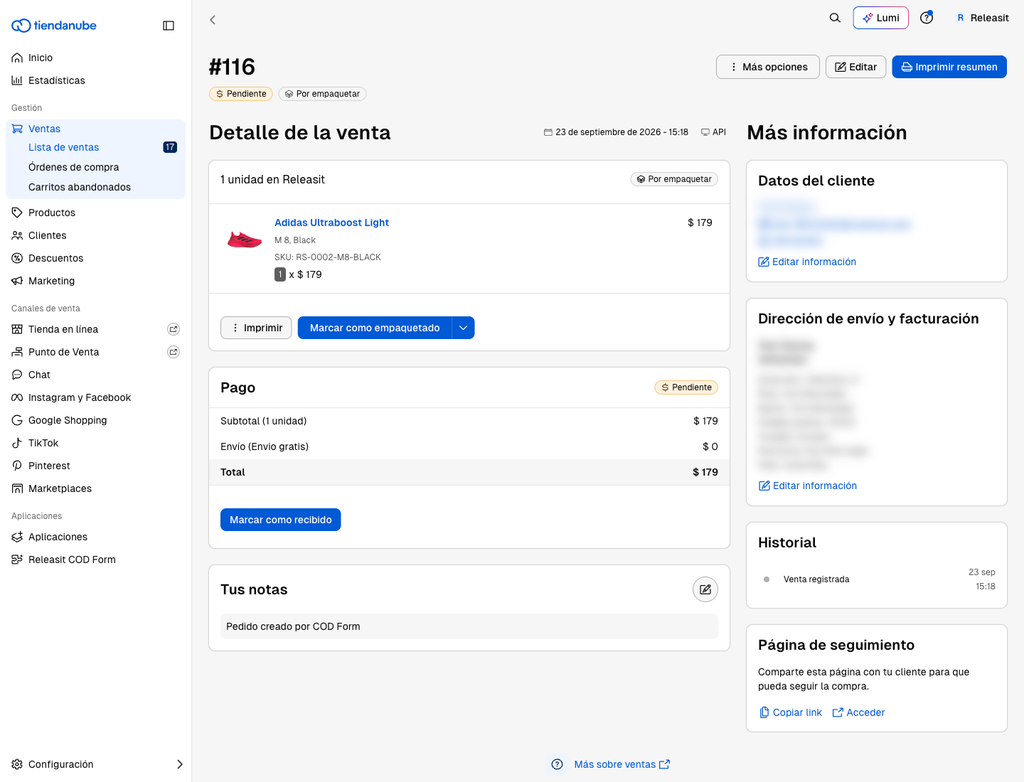
Test the form
- Open a product page in your store and fill in the form as if you were a customer.
- Check that the order reaches Sales with all its details.
- Cancel the order so it does not count as a real sale.
The order does not appear
- Check the date filter in Sales.
- Open the app Dashboard: if the order is there but not in Tiendanube, write to us with the date and time of the order.
How orders count toward your plan
Every order created by the form adds to your plan's monthly amount. Read Plans, limits and billing on Tiendanube.
Need help? Write to support+tienda@releas.it.
Updated on: 02/10/2026
Thank you!