
Sales Booster: quantity offers
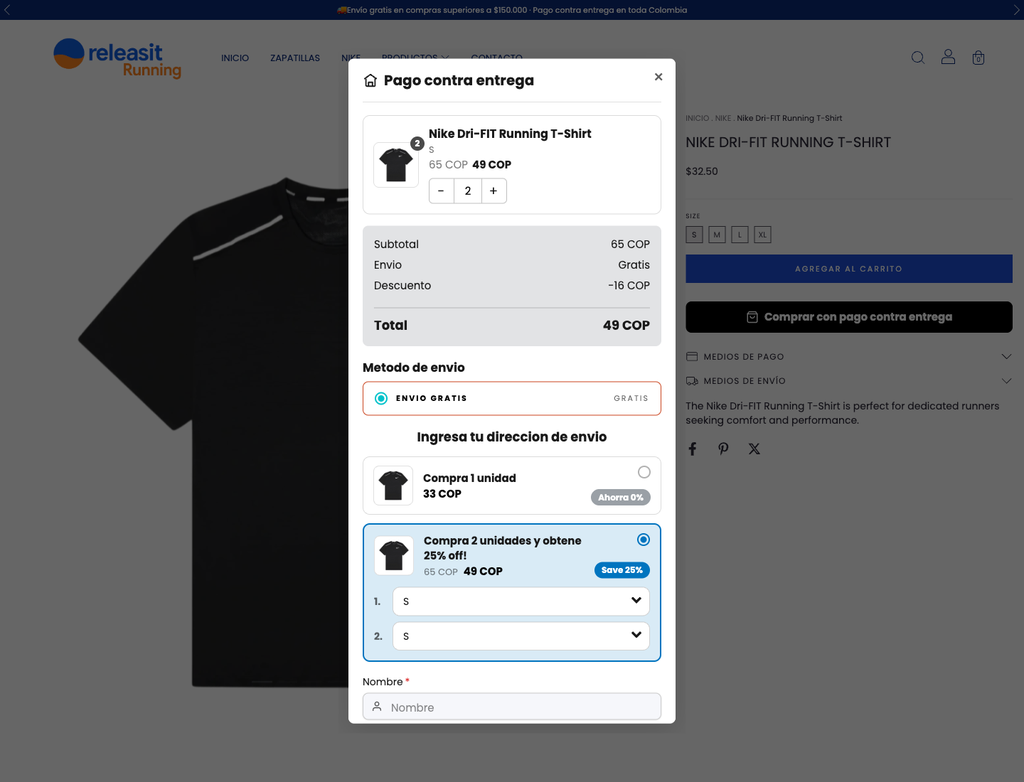
With a quantity offer, the customer sees options like "2 units with 25% off" inside the form and picks one before submitting the order. It is the simplest way to raise the average ticket in cash on delivery.
Create a quantity offer
- Go to Apps → Releasit COD Form → Sales Booster.
- Click Add offer.
- Choose which products it applies to: all or a selection.
- Add the tiers. For example:
- 1 unit: regular price.
- 2 units: 25% off.
- 3 units: 35% off.
- Write the title and the label of each tier (for example "Most popular").
- Save and activate the offer.
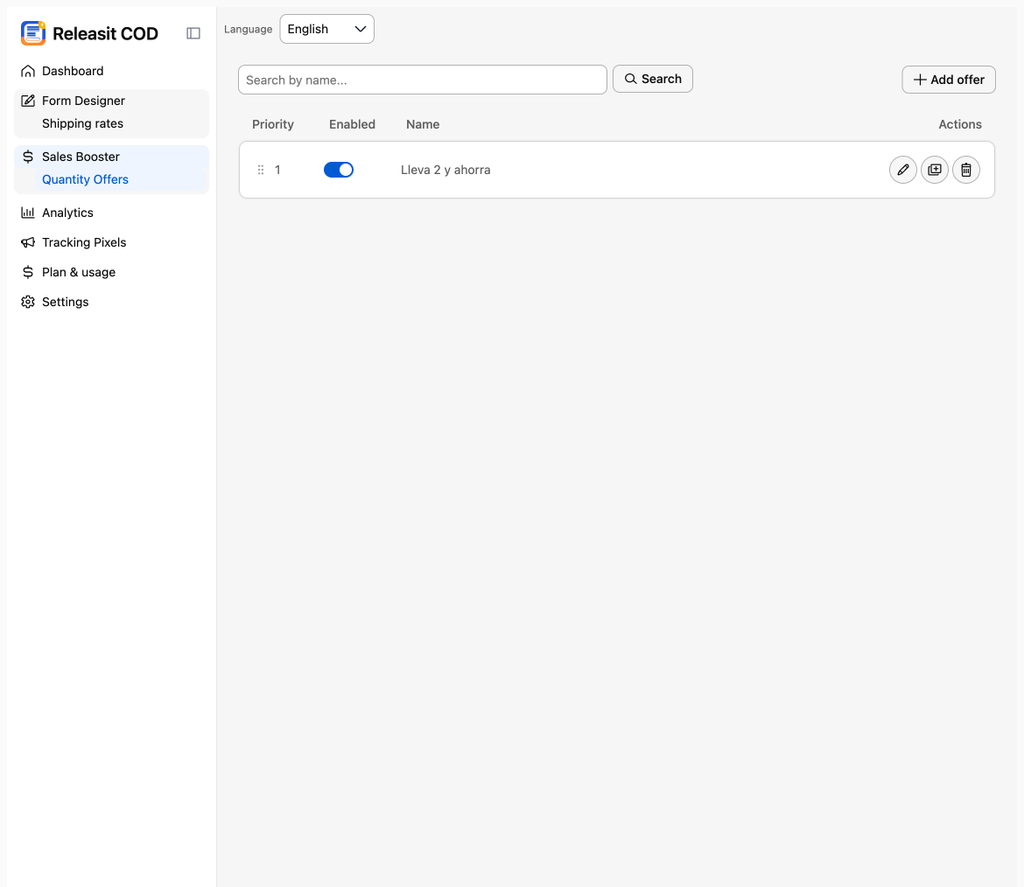
How the customer sees it
The tiers appear inside the form, above the fields. The customer picks one and the order summary updates with the quantity and the discounted total.
How the order reaches Tiendanube
The order is created with the chosen quantity and the discount applied, so the total you see in Sales is what the customer pays on delivery.
Recommendations
- One product with two or three tiers works better than many tiers.
- Mark one tier as "Most popular". It guides the decision.
- Watch your margin: the discount applies to the product's selling price.
Need help? Write to support+tienda@releas.it.
Updated on: 02/10/2026
Thank you!