
Tracking Pixels: Meta, Google and TikTok
If you run ads, you need to know which ads generate cash-on-delivery orders. In Tracking Pixels you connect your pixels and Releasit sends the form events.
You can connect Meta (Facebook and Instagram), TikTok and Google Analytics 4 pixels.
Connect a pixel
- Go to Apps → Releasit COD Form → Tracking Pixels.
- Click Add pixel.
- Choose the platform: Meta (Facebook and Instagram), Google or TikTok.
- Paste the pixel ID and save.
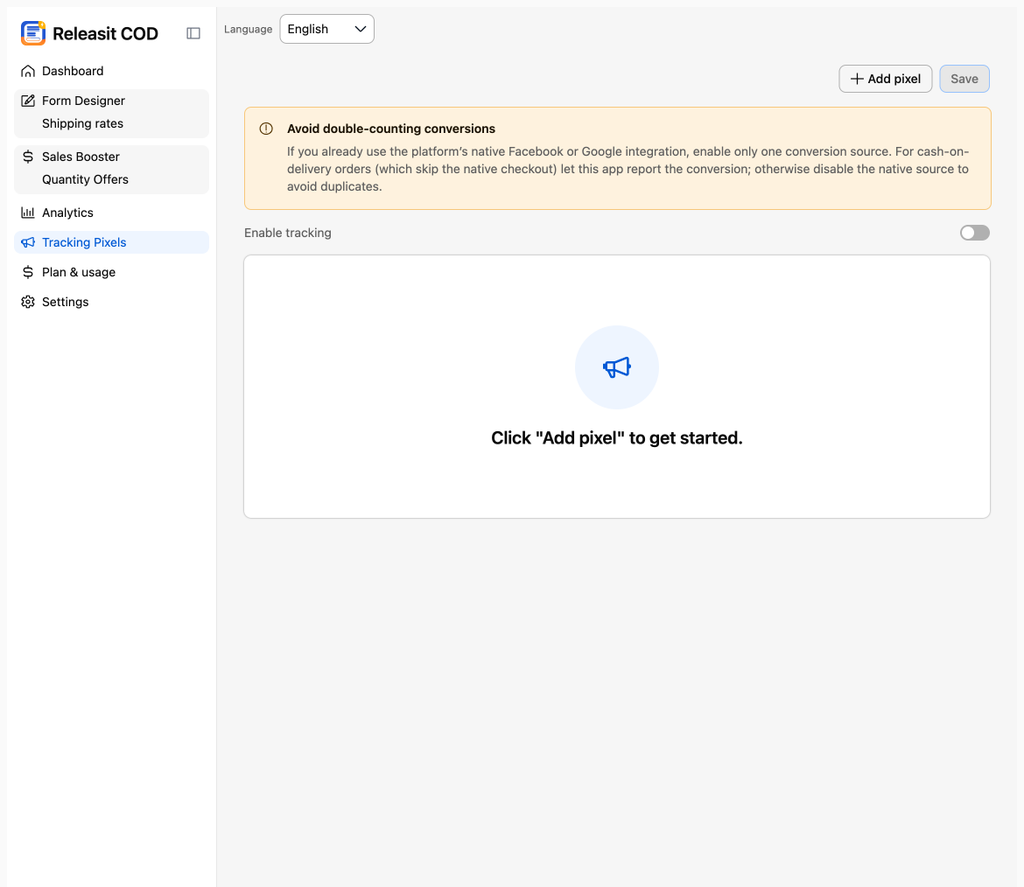
You can add more than one pixel per platform.
Which events are sent
Moment | Event |
|---|---|
The customer opens the form | Initiate checkout |
The customer submits the order | Purchase, with the order value and currency |
Events fire only for form orders. Orders from the normal Tiendanube checkout are reported by your Tiendanube pixel configuration.
Avoid duplicate events
The pixels screen reminds you of this with the notice Avoid counting conversions twice: if you already use the native Facebook or Google integration of Tiendanube, keep only one conversion source. For cash on delivery orders, let Releasit report the conversion, or turn off the native source to avoid duplicates.
Check that it works
- Open your store with the Meta Pixel Helper extension or your platform's test events mode.
- Open a product page, open the form and submit a test order.
- Confirm that both events appear.
- Cancel the test order in Sales so it does not count as a real sale.
Need help? Write to support+tienda@releas.it.
Updated on: 02/10/2026
Thank you!