
How to uninstall the app and what happens to your data
Before you uninstall
If the problem is cost, you can move to the Free plan and keep the form. Read Plans, limits and billing on Tiendanube. If the problem is technical, write to us first: most cases are solved the same day.
Uninstall
- In your Tiendanube admin, go to Apps.
- Find Releasit COD Form and click Uninstall.
- Confirm.
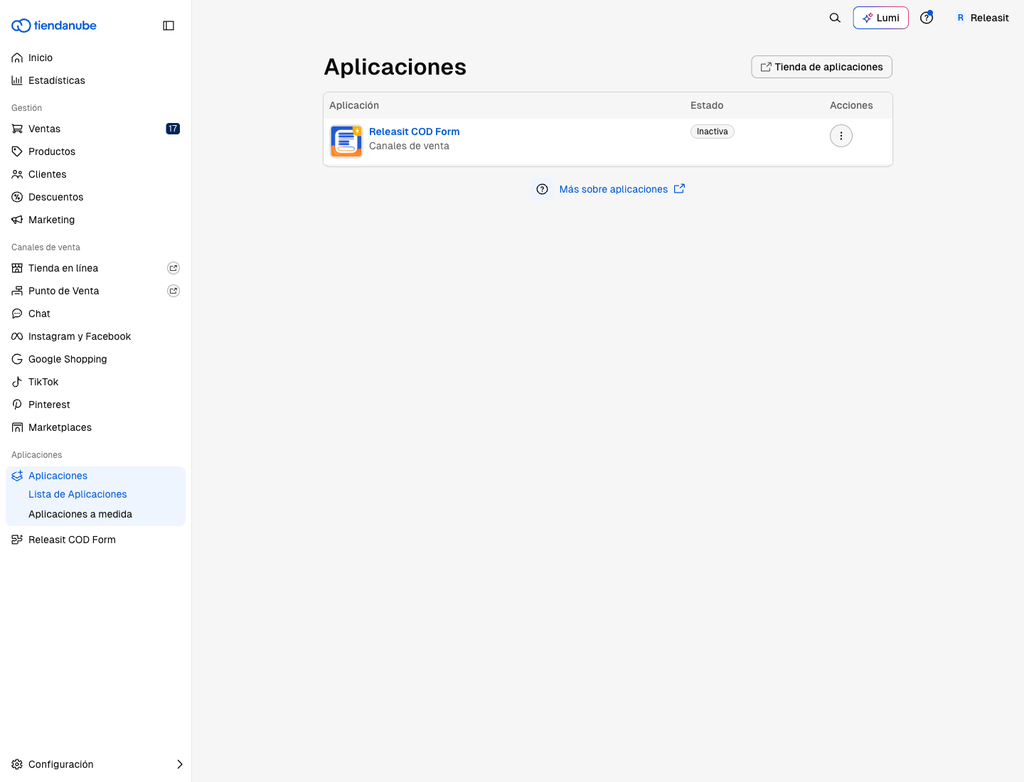
What happens immediately
- The button and the form disappear from your store.
- The subscription is cancelled. Tiendanube does not charge the app again.
- The orders the form already created stay in your Tiendanube Sales. They are yours and are not deleted.
What happens to the data Releasit stored
Releasit stored your form configuration, a copy of the form orders for statistics and support, and anonymous usage events. After uninstallation we handle this data as described in our privacy policy. Details in our Privacy Policy.
Request deletion earlier
Write to support+tienda@releas.it from your store email and we process the request within 30 days. If one of your customers asks you to delete their data, write to us with the order number.
Reinstall
You can reinstall at any time from the App Store. Your form configuration is kept.
Need help? Write to support+tienda@releas.it.
Updated on: 02/10/2026
Thank you!